Humanize

Humanize turned PartnerHero's customer support service into a self-serve Shopify product for merchants who needed high-quality support without building internal teams. I led research, user flows, wireframing, prototyping, and UI design, shaping how the service could be packaged into a product merchants could understand, trust, and activate quickly.
Project Type
Shopify App, SaaS Product
Role
UX/UI Designer
Timeline
2022–2023
Tools
Sketch, Polaris (Shopify design system)
Scope
Research, Wireframing, Prototyping, Visual Design
Company
PartnerHero
Context & Opportunity
PartnerHero already had the operational capability to deliver high-quality support at scale. The challenge was packaging that service into a self-serve Shopify product merchants could quickly understand, trust, and activate.
Merchant Pain Points:
- Support volume spiking outside business hours
- Building an in-house team was costly and slow
- Handing conversations to an external team required trust
- Merchants needed visibility and control, not a black box

Product Goals
The product needed to validate a lean self-serve model without losing trust, activation quality, or merchant confidence.
- Enable merchants to activate support in minutes, not days.
- Build trust in handing customer conversations to an external team.
- Reduce setup friction without compromising service quality.
- Make support activity and performance easy to understand at a glance.
Product Strategy & Key Decisions
The key challenge was not just designing a Shopify app. It was translating a service business into a product experience merchants could trust, activate, and manage with confidence.
Designing for Trust
Humanize asked merchants to hand customer conversations to an external team, so the product needed to feel credible immediately. Clear language, Shopify-native patterns, and visible structure reduced perceived risk.
Activation vs. Readiness
The onboarding flow had to feel fast, but the service still required enough setup quality to work well. The product balanced speed with the minimum information needed for effective support.
Guided Knowledge Base Setup
Requiring knowledge base content introduced real setup friction. The experience broke that requirement into a manageable workflow so merchants understood why it mattered and how to complete it.
Visibility & Control
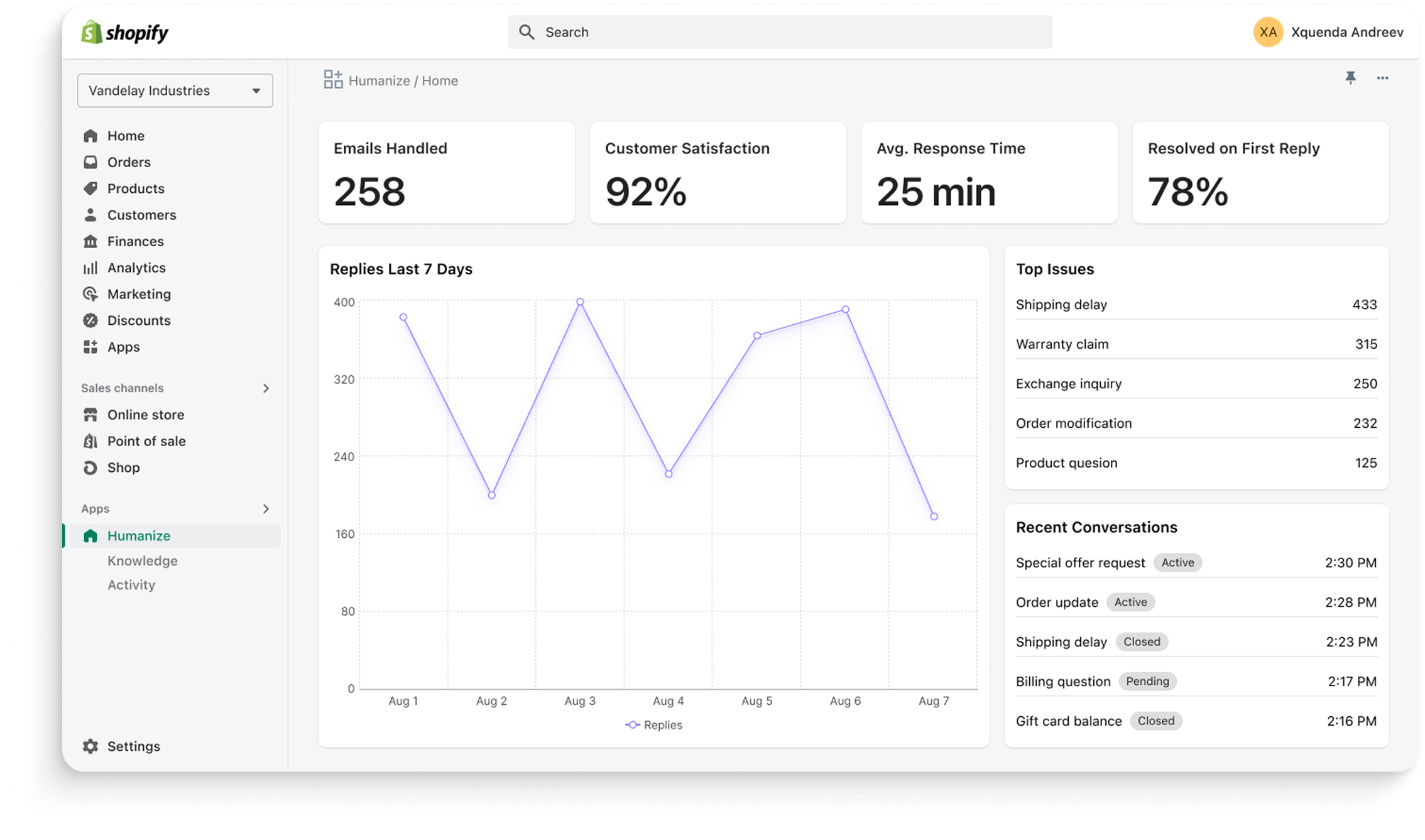
Merchants needed confidence after setup, not just during onboarding. Dashboards and status views made support activity, performance, and account state legible enough to sustain trust over time.
Constraints & Design Approach
Polaris was a strategic choice, not just a design-system default. Because Humanize lived inside Shopify Admin, familiarity helped reduce learning time, strengthen trust, and keep the MVP lean enough to ship without unnecessary visual complexity.
Key Product Flows
These screens show the product moments that mattered most: activation, setup quality, visibility, and ongoing merchant confidence.
Launch & Impact
Humanize launched on the Shopify App Store and validated that PartnerHero could package its support service into a merchant-friendly SaaS product. The early signal was not just launch readiness, but trust, activation, and paid adoption.
Early results included:
Paid subscriptions from small and mid-sized merchants
Positive feedback on onboarding simplicity and clarity
Early trust reinforced by Shopify-native patterns and familiar UX
Clear value for merchants dealing with sustained email volume